Features

One app for your
entire research workflow

Browser, reader, notes, citations, lecture capture and research organisation — all in one place. That's the difference.

Research Workspace Reader Mode Focus & Capture Privacy & Design

A persistent academic
workspace, not bookmarks

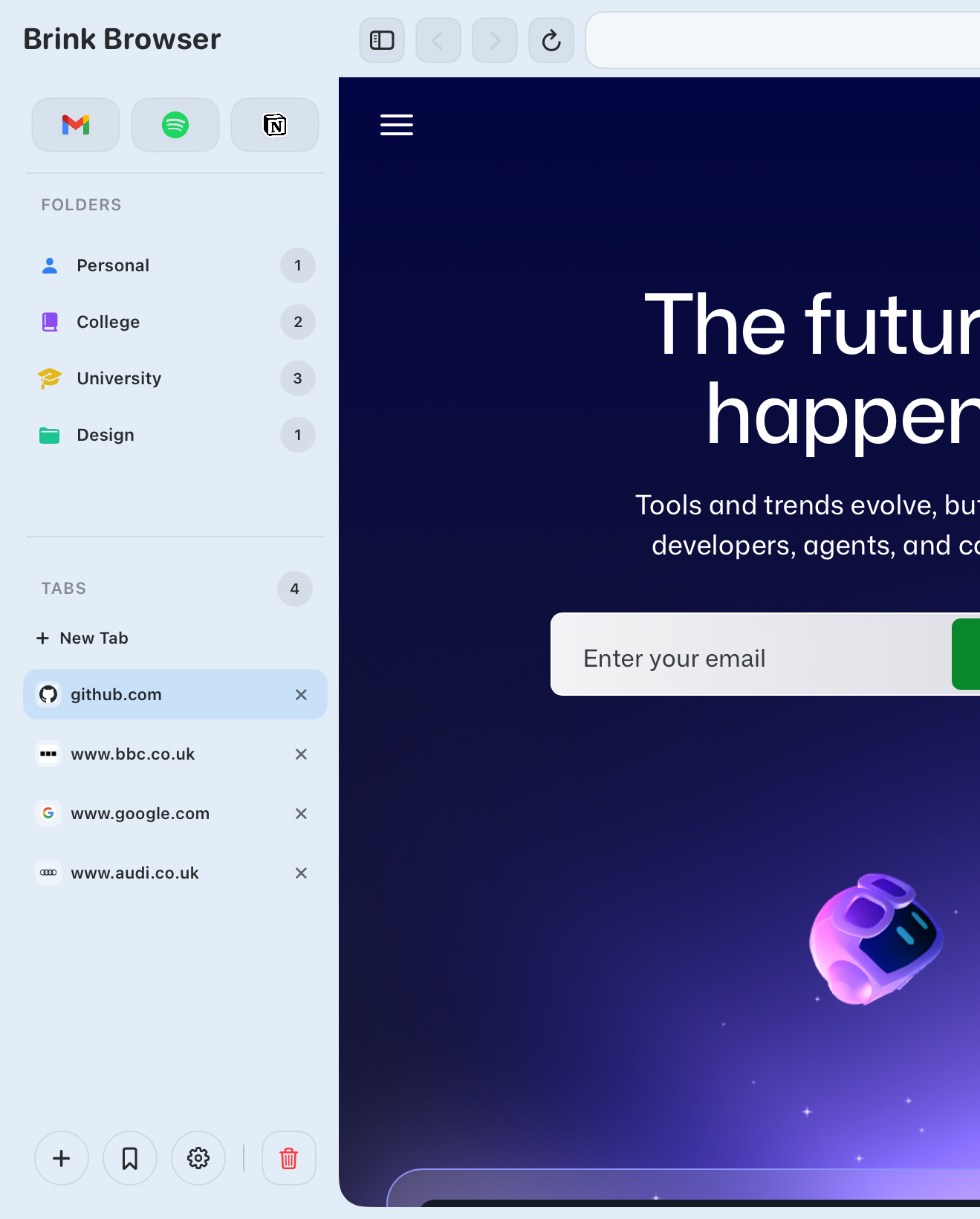
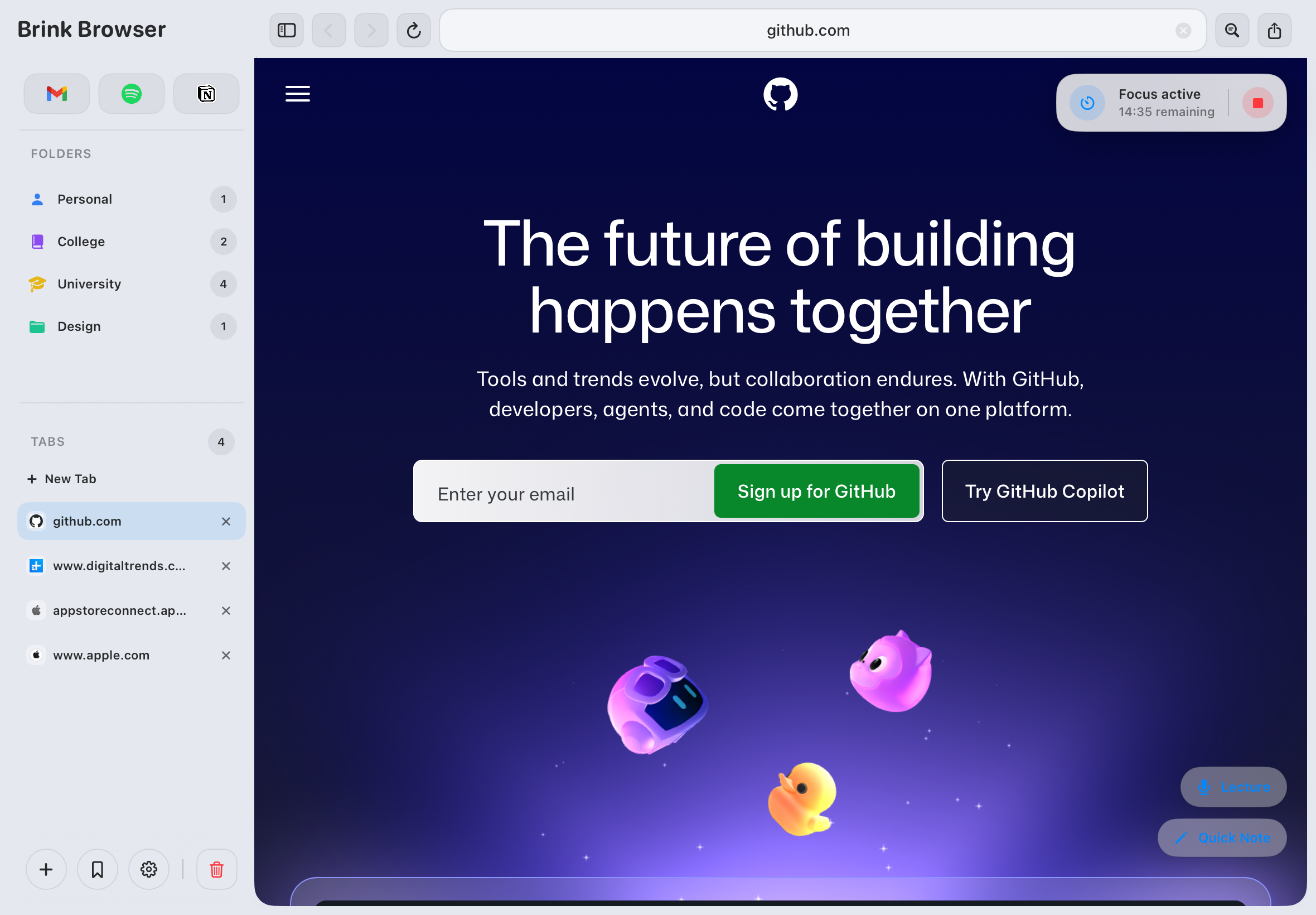
Most browsers give you bookmarks. Brink gives you a full research workspace — folders, subfolders, saved websites, notes, images, recordings and citations all living together.

Sidebar & Folders

Your research organised
the way you think

The sidebar stays open alongside your browsing. Create nested folders for each module, subject or project and drag research between them. Everything is persistent — close the app and come back exactly where you left off.

  • Nested folders and subfolders
  • Drag and drop organisation
  • Expand and collapse folders
  • Persistent across sessions
Research Saving

Save anything,
into any folder

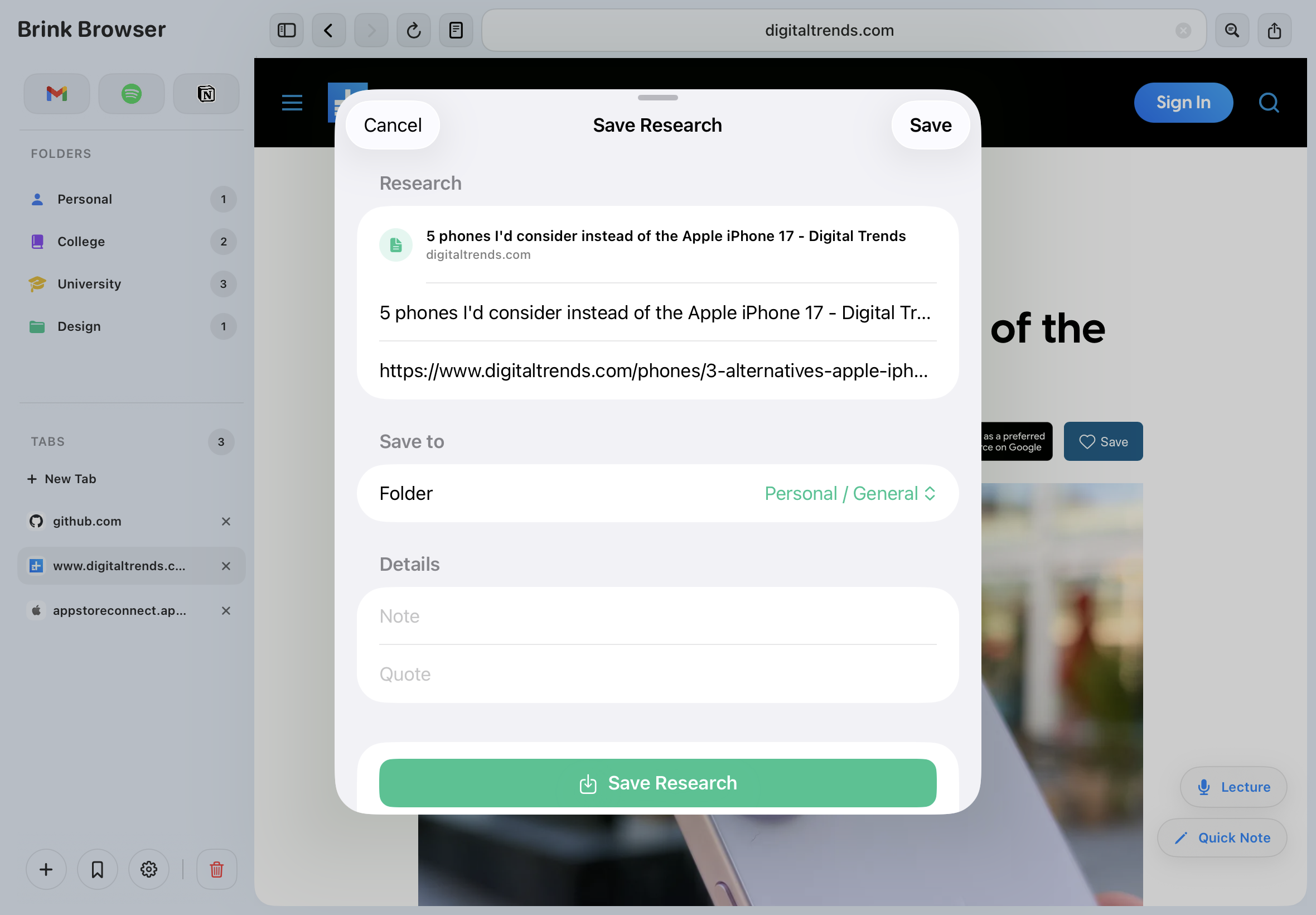
Brink lets you save far more than just links. Capture a page, a note, an image, a lecture recording or a citation — all into the same folder, all searchable, all together.

  • Websites and articles
  • Quick notes and research notes
  • Images and PDFs
  • Lecture recordings
  • Generated citations
Highlighting

Highlight what matters,
save it straight to a folder

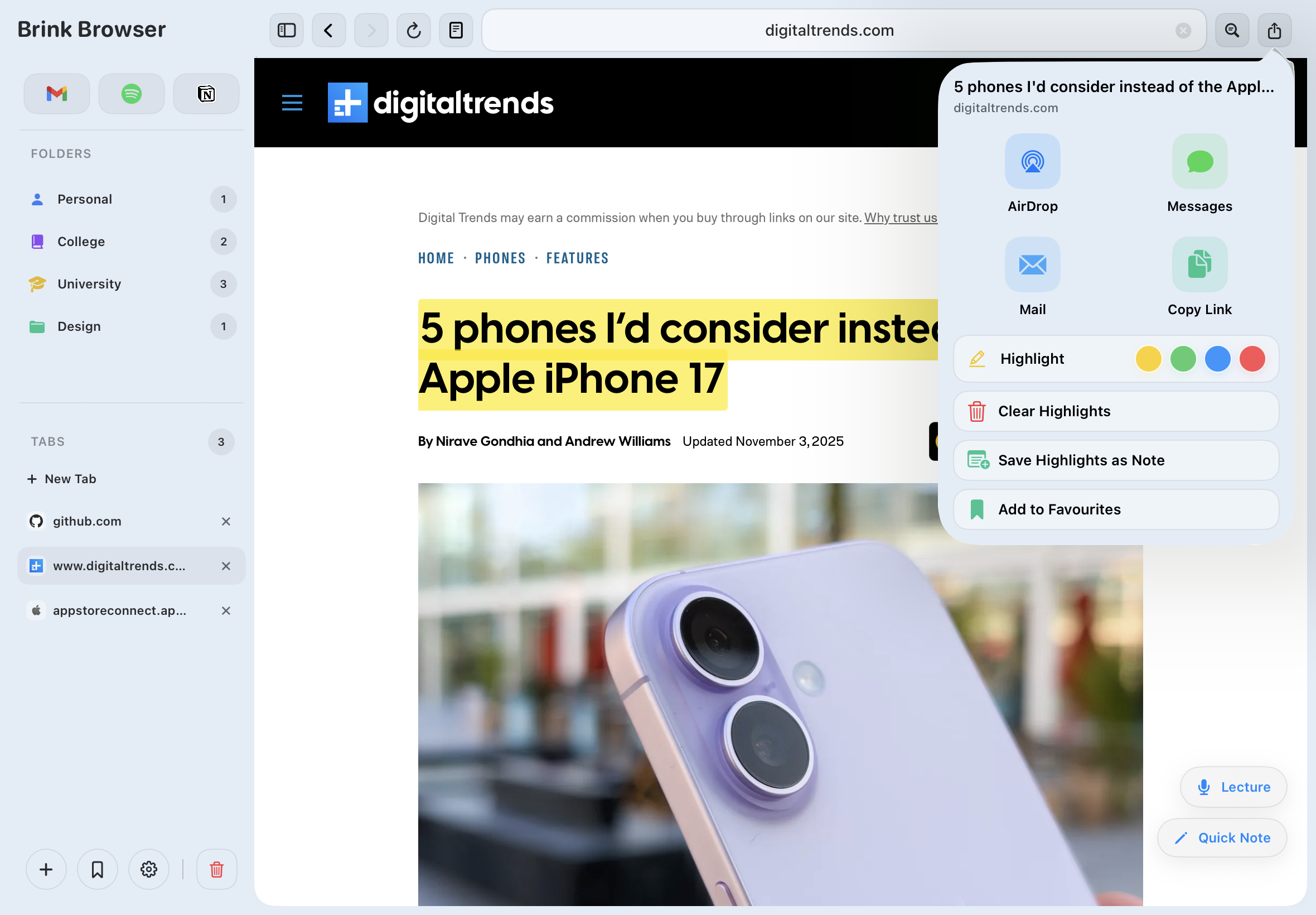
Select any text on a webpage and highlight it in yellow, green, blue or red. Highlights are saved with the page so they're still there when you return. Use them to extract the most important parts of an article straight into your research.

  • Four highlight colours
  • Highlights persist on return
  • Research extraction workflow
Citations

Generate citations
in one tap

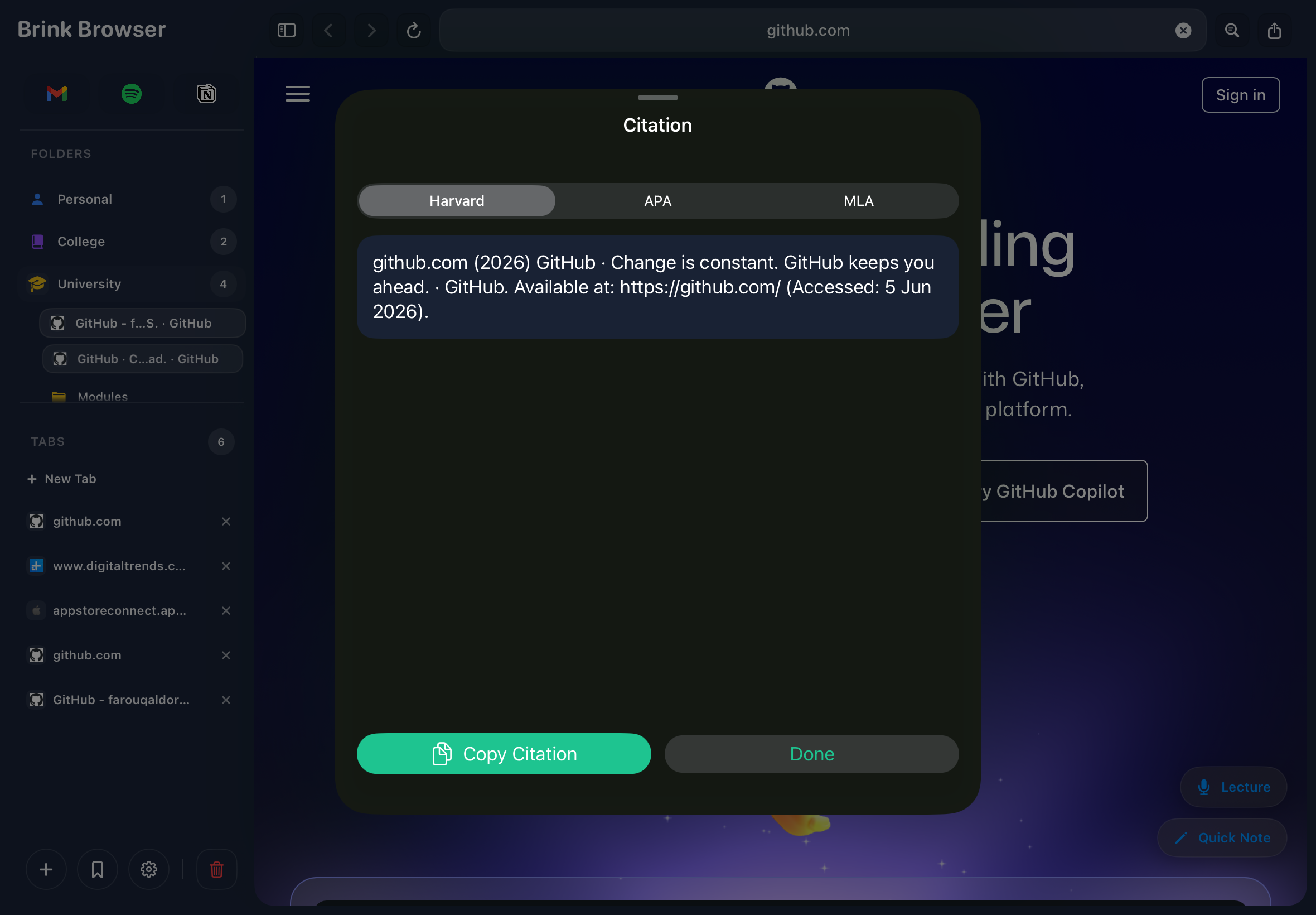
Select Harvard, APA or MLA and Brink formats a citation from any saved research item instantly. Copy it straight into your essay — no manual formatting, no switching to a separate citation tool, no hunting for author names.

  • Harvard, APA and MLA formats
  • Generated from saved sources
  • One tap, ready to paste

Not a basic reader —
a reading application

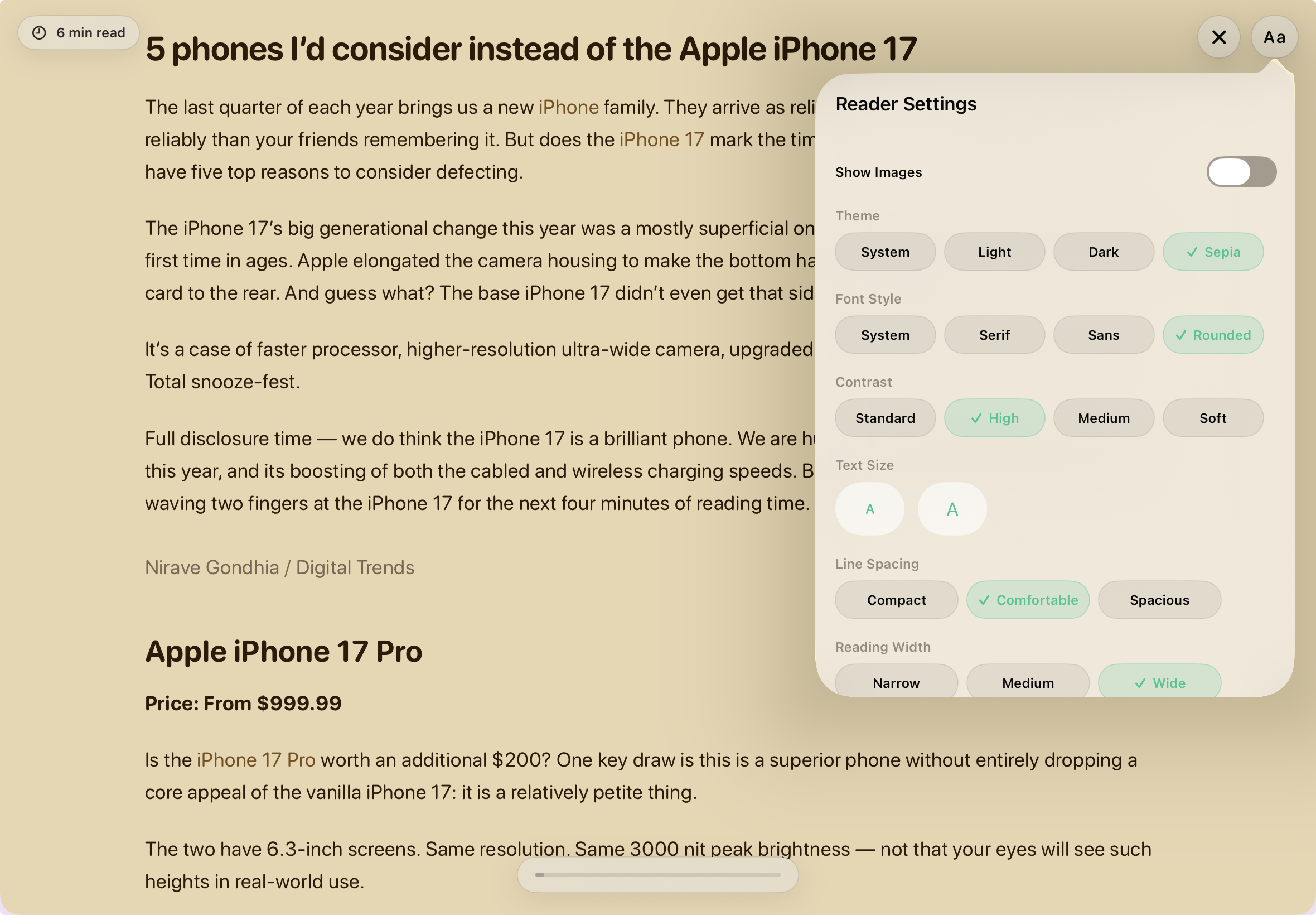
Most browsers strip an article and call it reader mode. Brink goes much further with full typography controls, reading progress, time estimates and distraction-free full-screen study.

Distraction-free reading

Clean article view with
full reading controls

One tap removes everything except the content — ads, navigation, cookie banners, autoplay. Then customise every aspect of how you read so articles feel like books, not websites.

  • Font family and size controls
  • Line spacing and content width
  • Contrast and theme controls
  • Image visibility toggle
  • Full-screen reading mode
  • Reading progress indicator
  • Estimated reading time
PDF VIEWER

Fill, annotate and save
PDFs without leaving Brink

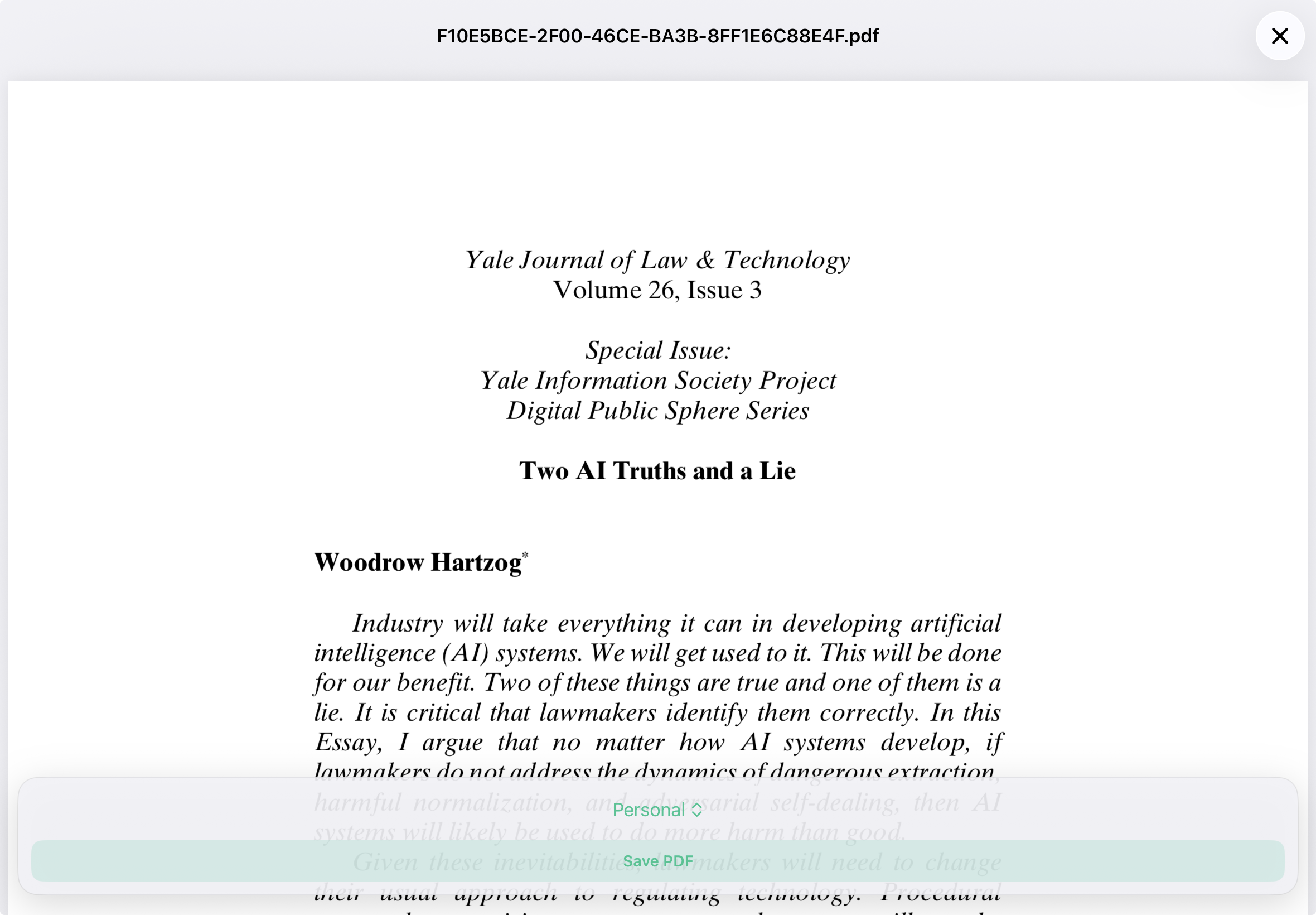
Open any PDF directly in Brink — whether it's a form from the web or a document you've saved to your research. Fill in text fields, check boxes and annotate pages, then save your changes directly back to your research folder. Your edits persist every time you reopen the file.

  • Fill interactive form fields
  • Check boxes and radio buttons
  • Save edits back to your research folder
  • Persistent — edits are there when you return
  • Opens PDFs from the web or saved research

Block distractions,
capture everything

Website blocking with PIN protection, timed focus sessions and lecture recording — the tools that actually change how productively you study.

Website Blocking

Block distracting sites
permanently or during study

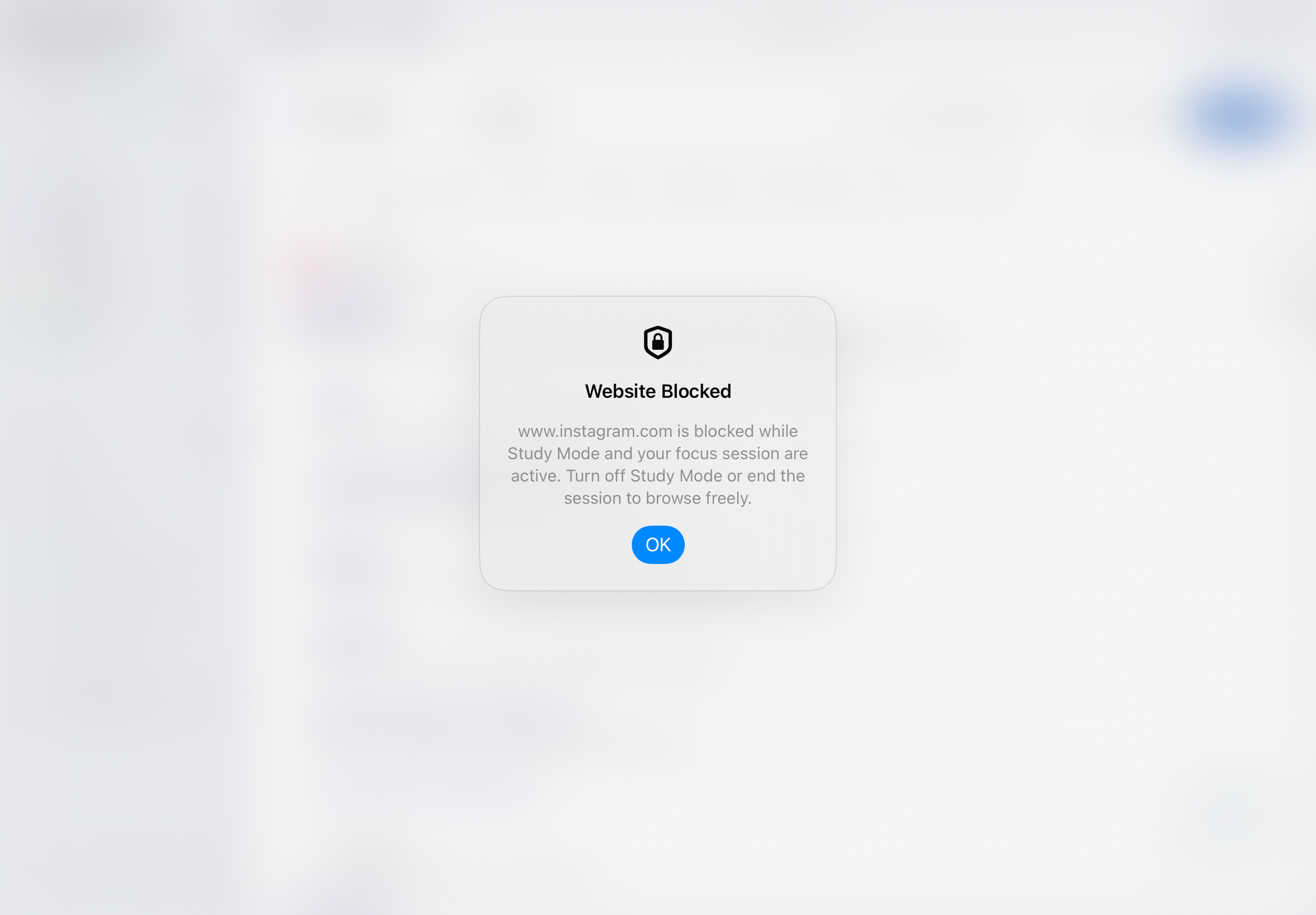
Add any site to your blocked list and it's gone. Use permanent blocking for sites you never want to see, or activate study mode blocking that only applies during a focus session — so you can choose when to enforce it.

  • Permanent or session-based blocking
  • PIN protection to prevent overrides
  • Block any domain instantly
Focus Sessions

Timed sessions with
automatic enforcement

Start a focus session and Brink enforces your blocked site list for the duration. A quiet pill in the corner counts down your remaining time. When the session ends, your blocked sites are released automatically.

  • Customisable session length
  • Auto-enforces blocked sites
  • Persistent countdown timer
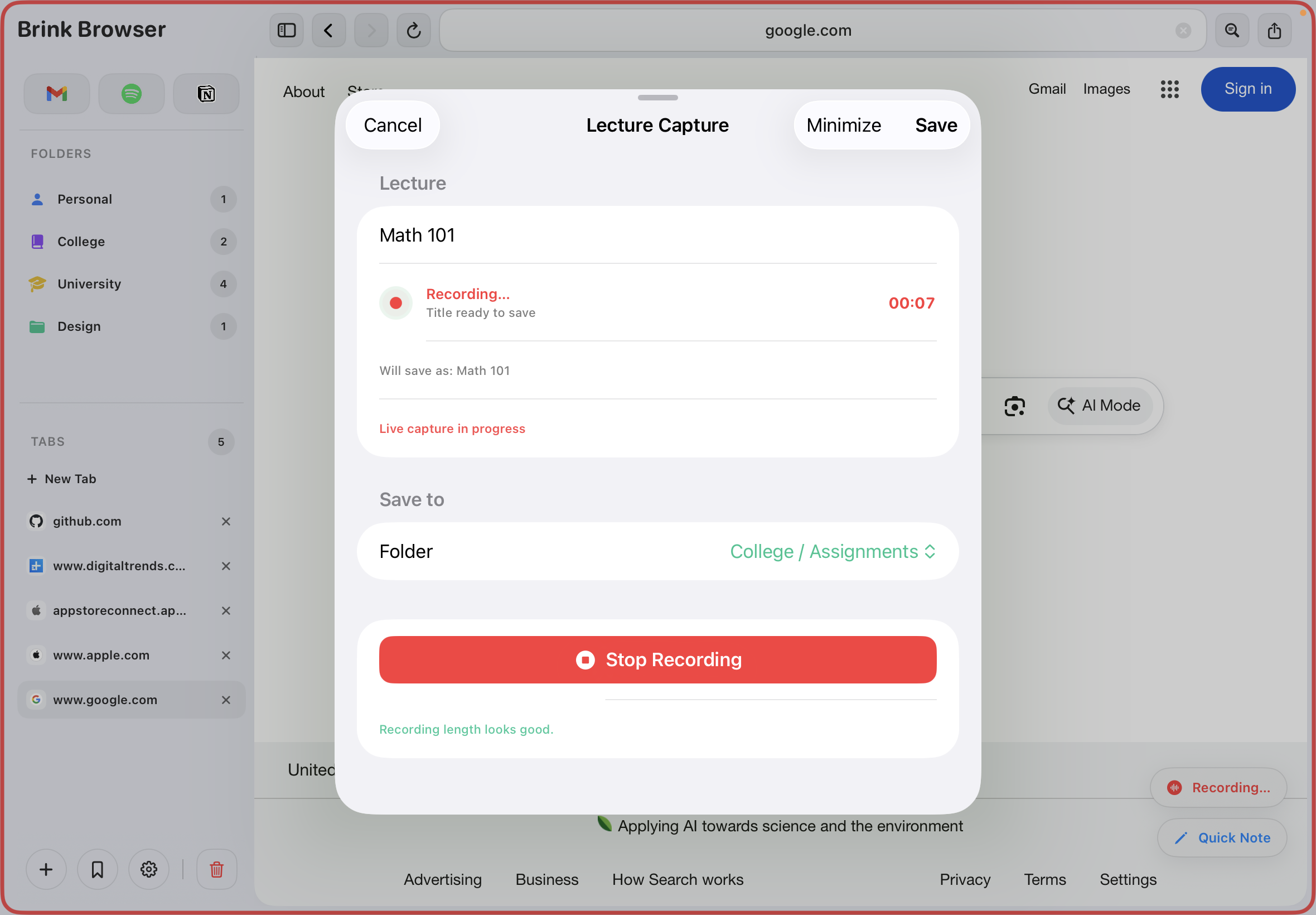
Lecture Capture

Record lectures without
leaving your browser

Start a recording inside Brink and it runs in the background while you browse. Recordings are saved directly into your research folders alongside the pages you were reading — so your audio and sources stay linked automatically.

  • Background recording while browsing
  • Rename and replay recordings
  • Saved into research folders
  • Alongside notes and saved pages

Clean, private and
built to look good

No ads, no tracking, no data collection — ever. Plus a personalisation system that makes the whole workspace feel like yours.

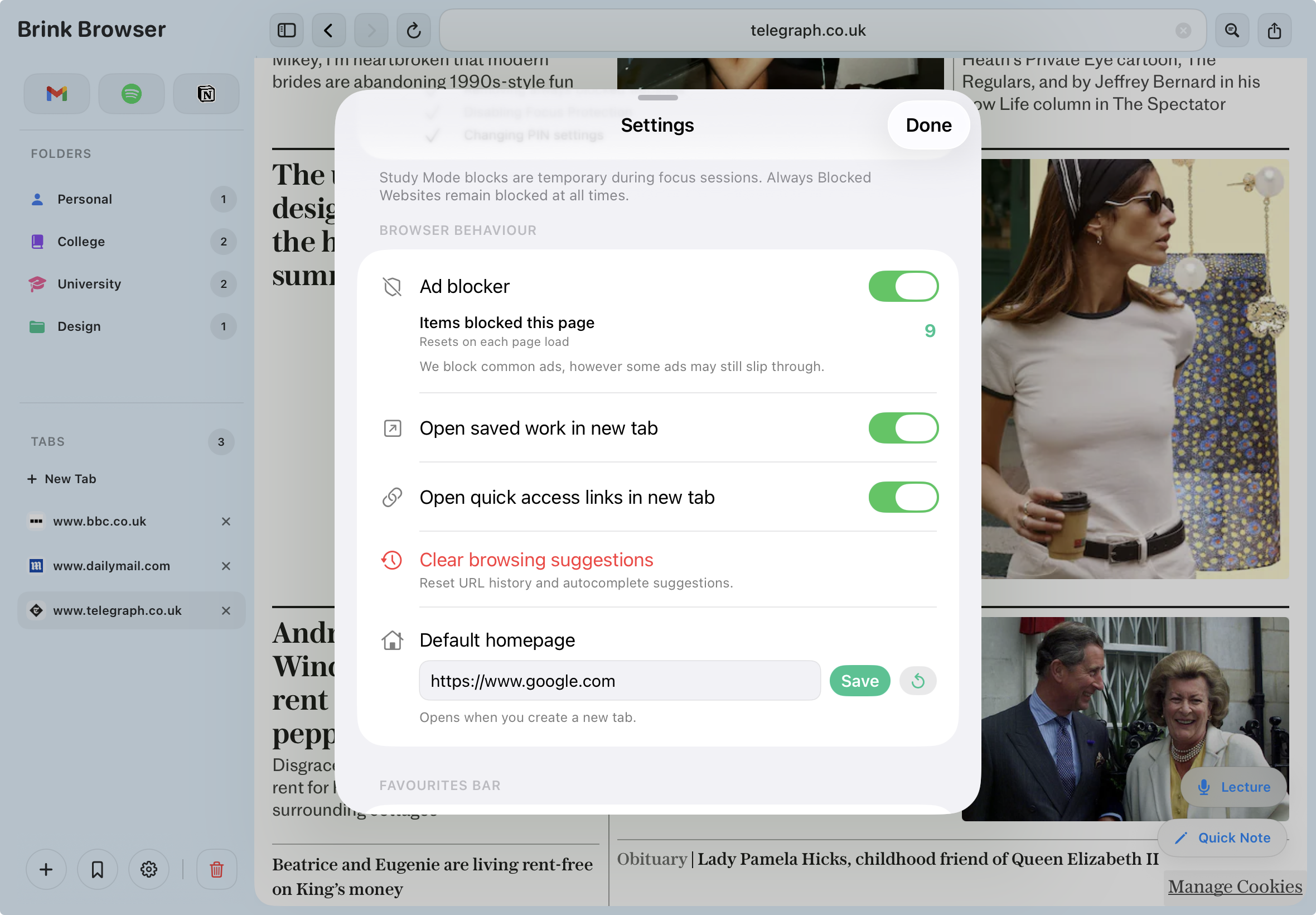
Ad Blocking

Faster, cleaner pages
with zero effort

Brink blocks ads and trackers at the network level before they reach the page — no extensions required, no setup. Pages load faster, look cleaner and contain fewer distractions. Better for reading, better for studying.

  • Network-level blocking
  • Faster page loads
  • No popups or autoplay ads
  • Zero configuration required
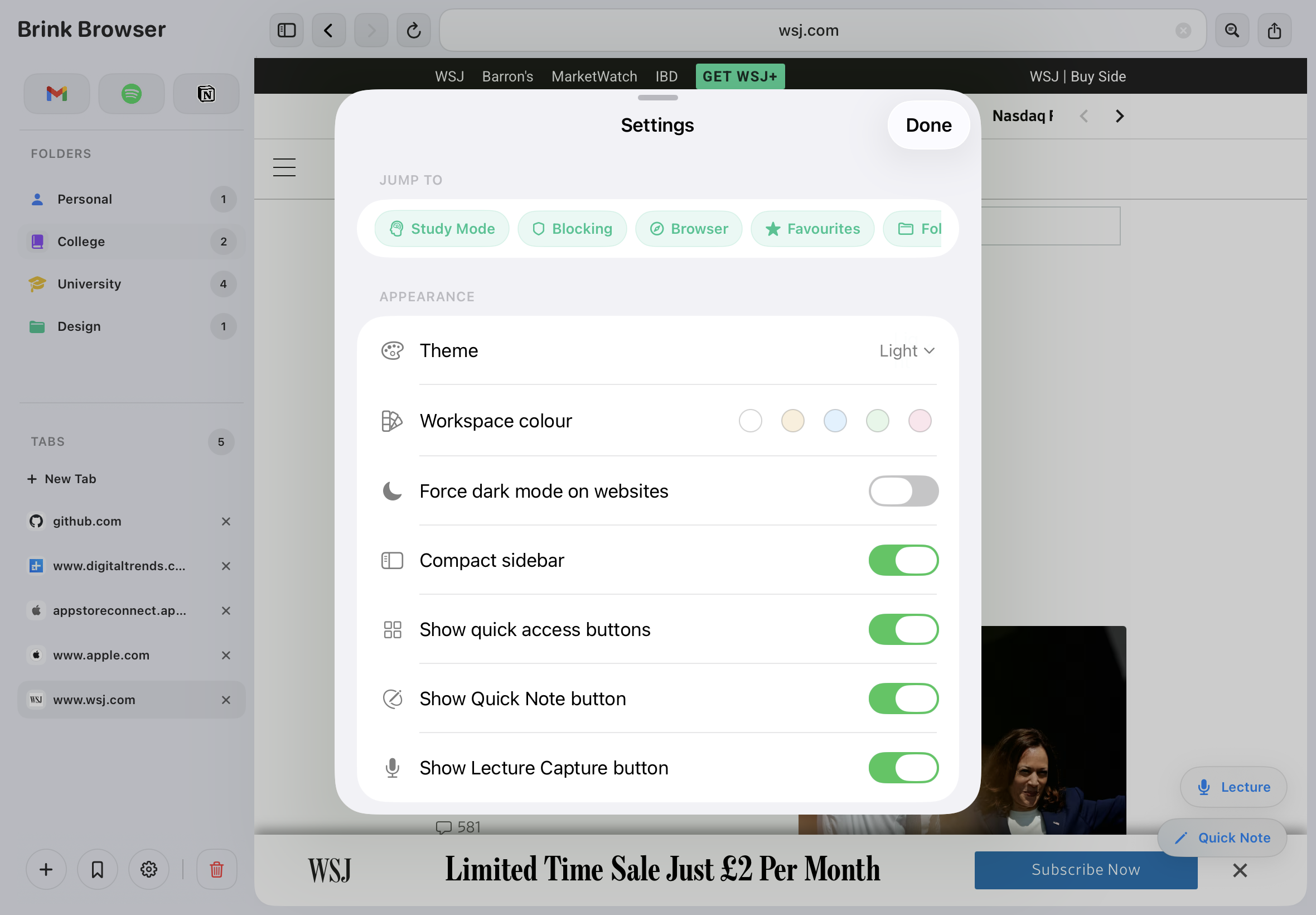
Workspace Themes

Ten colours that make
the workspace feel like yours

Choose from ten workspace colours — soft pastels in light mode and rich dark tones in dark mode. Every border, icon and surface updates together. Switch your system theme and Brink follows automatically, always showing only colours that work for your current mode.

  • Ten workspace colour themes
  • Light and dark mode variants
  • Auto-adapts to system theme
  • Reader mode has its own theme controls